Onboarding
Welcome to RPCU! This guide will help you get started with your first account and project.
Prerequisites
Before you begin, you should have:
- Netbird installed
- Devenv installed
- [Optional but recommended] Direnv installed
- An access granted by an maintainer on the RPCU GitHub organization
- An acccount created by a maintainer in the Netbird instance
- SSH key pair for instance access.
User Profile on NixOS Machines
To configure your user profile on NixOS machines, please refer to the User Management documentation.
Netbird
When your account is ready and you have your credentials, you can run this command and follow instructions:
sh
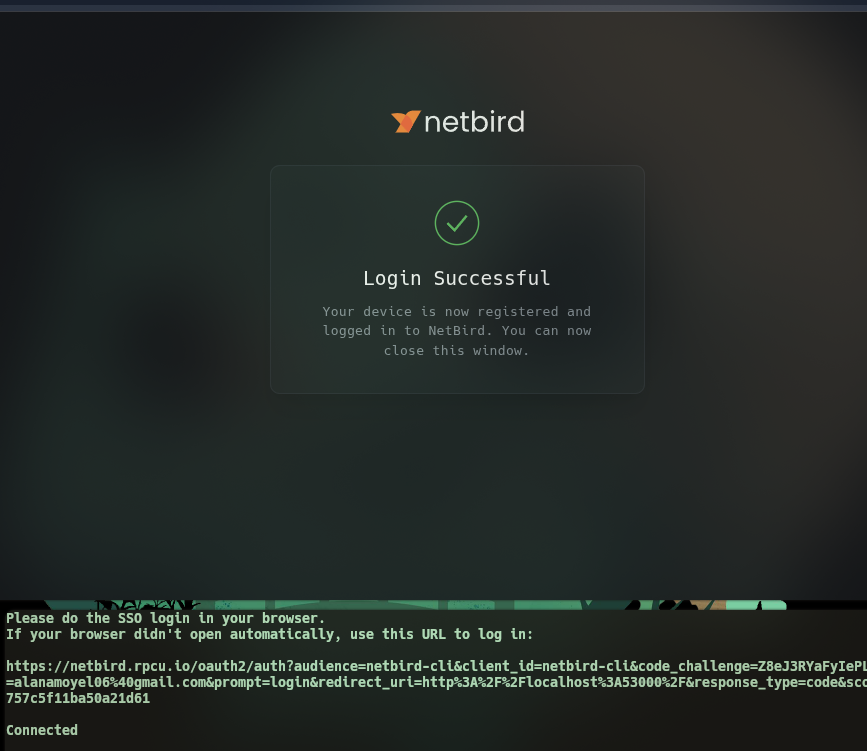
netbird up --management-url https://netbird.rpcu.ioPost login, you should see something like this in your web browser and terminal:
DANGER
We strongly recommend to change your password on the Netbird portal ! You just need to click on your profile icon on the top right of your screen to see the "Change Password" option.